Apps
How to Keep Track of a Parent's Medications, Refills and Doctor Visits (Without Sticky Notes)
Simple ways to track a parent's medications, refills and doctor visits in one place, without sticky notes or guesswork.
"Did Mom take her evening pill?" If you've asked that, or found out a refill ran out on a Friday night, this guide is for you.
Maybe it started with one prescription. Now there's a blood pressure pill in the morning, a cholesterol pill at night, an as-needed pain reliever, and a fridge door covered in sticky notes. We understand how much you're carrying, and how much you want to get it right.
You don't need perfection. You need one system you and your parent can trust. Here's how to set it up this week.
At a glance: your 5-step system
- Build one master medication list from the actual bottles
- Mark each dose as taken the moment it's taken
- Set a refill reminder about a week before each prescription runs out
- Log every as-needed dose with the time and amount
- Bring a one-page summary and your questions to every doctor visit
Why sticky notes stop working
Sticky notes are fine for a reminder or two. Once the list grows:
- They fall off, get tossed or end up in the wrong room
- Two family members end up with two different lists
- It's hard to tell whether today's dose was already taken
- You can't hand a pile of notes to a doctor or an ER nurse
One up-to-date list solves most of this.
Step 1: Build one master medication list
Line up every bottle on the kitchen table, including vitamins, supplements and over-the-counter items. Go one at a time and write down:
- Name and strength (for example, 10 mg)
- How much and when, exactly as written on the label
- What it's for, in the doctor's or pharmacist's words
- The prescribing doctor and the pharmacy
- The date it was last filled and how many refills are left
Take this list to the next appointment or pharmacy visit and ask them to review it with you. Only your parent's doctor or pharmacist should decide on changes, and they're the right people to ask how medicines work together.
Step 2: Make daily doses easy to confirm
"Did Mom take her evening pill?" causes a lot of worry. A few habits help:
- Use a weekly pill organizer if the pharmacist thinks it's a good fit
- Mark each dose when it's taken, not later
- Keep the record in one spot everyone can check
- Pick a large, easy-to-read format
Step 3: Stay ahead of refills
For each prescription:
- Count the pills left and divide by how many are taken each day. That's your days of supply.
- Set a reminder about a week before that date.
- When the reminder comes up, call in the refill and note the new fill date.
Many pharmacies offer auto-refill. It's still wise to keep your own eye on the calendar.
Step 4: Log as-needed doses
For as-needed medicines, such as a pain reliever or a rescue inhaler, write down the time and amount every time. You'll have an answer when the doctor asks, "How often are you needing this?" And everyone who helps can see when the last dose was taken.
Step 5: Keep doctor visits organized
- Keep a list of upcoming appointments with dates, times and addresses
- Jot down questions as they come up during the week
- Bring a one-page summary to each visit: current medications, recent concerns and your questions
- Write down what the doctor said before you leave the parking lot
- Keep phone numbers for doctors, the pharmacy and family in one place
Five lists is a lot to juggle. Here's one place for all of them
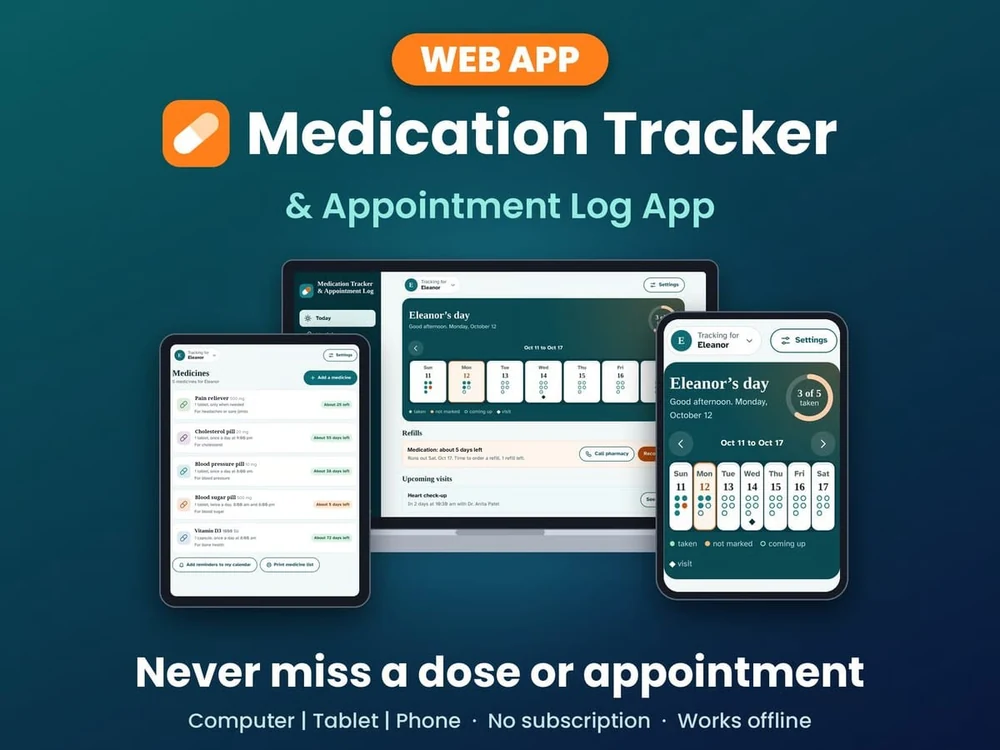
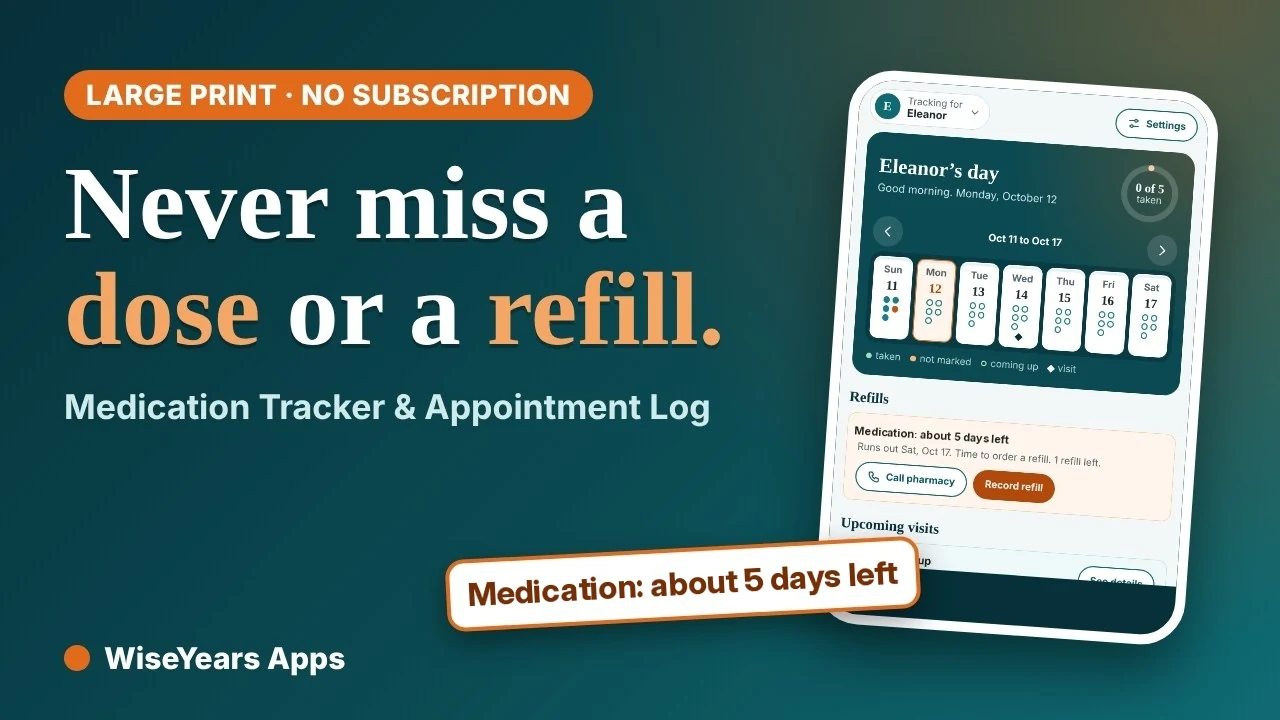
If keeping all this current sounds like one more job, the Medication Tracker & Appointment Log puts every step above in one easy to read app. Tap TAKEN when a dose is taken, see a refill warning before the bottle runs out, and print a one-page visit sheet on your way to the doctor. It opens in any web browser on any device, with nothing to install from an app store.
Medication Tracker & Appointment Log
For daily doses
- Easy to read, plus a text-size setting
- Big TAKEN, UNDO and ALL TAKEN buttons
- An as-needed dose log
- Refill run-out warnings
For doctor visits and paperwork
- Appointments with a printable one-page visit sheet
- A printable medication list for the doctor or pharmacist
- Notes with tags, and contacts with tap-to-call
- Calendar-file reminders you add to your device's calendar
- Room for more than one person, such as both parents
- CSV export and backups
For peace of mind
- No account, no subscription and no ads
- Your information stays in the browser on your device
- Works offline after the first visit
Keep every dose, refill and visit in one place: get it for $24.99 (one-time) →
Please note: this app is an organizer and record-keeper. It doesn't check for drug interactions or give medical advice. Always follow your doctor's and pharmacist's instructions.
See how it works in this demo:
▶ Watch the Medication Tracker & Appointment Log demo on YouTube
Your questions, answered
Is my parent's information private?
Nothing is uploaded. Everything you type stays in the browser on your own device, and there's no account to create. Tap Save backup now and then and keep that file somewhere safe.
Is it easy enough for my parent to use?
It's built for older eyes: big text, big buttons and a text-size setting (Standard, Large, Extra large). Marking a dose is one tap on TAKEN, with UNDO if you slip. A "sample information" button lets you look around before entering anything.
Will it remind us when it's time?
A web page can't sound an alarm on its own. The app saves a small calendar file, and your device's calendar does the reminding.
Can we track both parents?
Yes. You can switch between people, such as Mom and Dad, in the same app. It doesn't sync between devices, so pick one device as home base, or move information with a backup file.
Is it worth paying for?
It's $24.99 once, with no subscription and no ads, and it keeps working offline after the first visit. Each purchase is for one device, and you can track more than one person, such as both parents, on it.
Does it check drug interactions?
No. It's an organizer and record-keeper, not a medical tool. Your pharmacist is the right person to ask how medicines work together.
A few tips for sharing the load
- Agree on one source of truth. Whatever system you choose, everyone who helps uses the same one.
- Print before appointments. A printed med list and visit sheet make talks with the care team quicker and clearer.
- Review monthly. Pick a regular time to update the list after any changes from the doctor.
- Include your parent. As much as they're able, let them mark doses and keep notes. It protects their dignity and independence.
Small steps, steady care
It's okay if this feels like a lot some days. Start with one master list this week. Add refill reminders next week. Little by little, the sticky notes come down.
This article is general information only and isn't medical advice.